Biometric door lock · keypad · app control · keyless entry
Fingerprint door lock —smart biometrickeyless entry deadbolt.
The best fingerprint door lock for any front door: a smart lock with keypad, app control and a backup key.
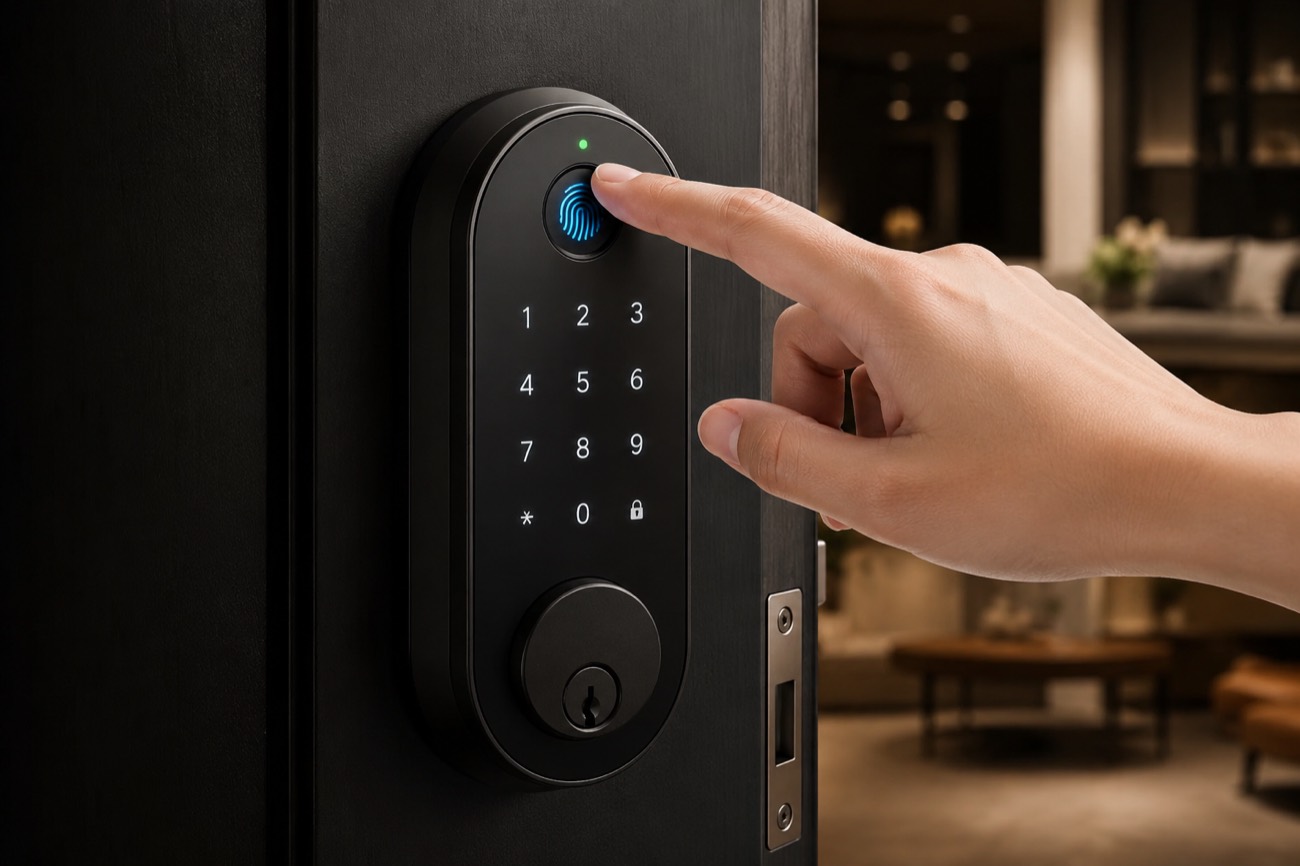
Fingerprint recognition lets you unlock the door with a touch in about 0.5 seconds — fingerprint, lock with keypad, smart-phone app, or physical key. Available in matte black with auto lock and easy installation.
A key is a single point of failure. Lose it and you're locked out. Lend it and you've lost control of who copies it. Get robbed and you're paying a locksmith to re-key every door in the house.
It gets handed to a babysitter and never comes back. It's copied at the hardware store and you never find out. It falls out of a kid's backpack somewhere between school and home. Each moment is a small security hole, and a traditional lock has no way to close it.
Locked out at night? An emergency locksmith runs $75–$150.
Hands full with groceries and a sleeping toddler — now find your keys.
New place? You've no idea how many copies of your key are out there.
01
The solution
Meet the fingerprint door lock that replaces every key you own.
This keyless entry door lock is a 4-in-1 deadbolt lock: fingerprint, keypad code, smartphone app, and a physical backup key, all in one unit that replaces your existing deadbolt. Unlike bolt-on smart-lock systems, it's not a gadget that sits next to your lock — it is the lock, so you lock and unlock from one place.
Advanced biometric technology stores up to 100 unique fingerprints, learns the subtle variation in how you place your thumb, and improves match accuracy with use. A child's smaller print, an adult's wider one, a finger placed slightly off-center — the reader adapts instead of rejecting you at the door.
Access methods
5 ways to unlock — your fingerprint, your choice.
Different moments call for different methods. You're never stuck with one.
01
Fingerprint unlock ~0.5s
The one you'll use 95% of the time. Walk up, touch, in. The reader sits where your thumb naturally lands — no fumbling in the dark. Wet, cold or dusty, the capacitive sensor handles real-world fingers far better than older optical pads.
02
Lock with keypad codes
The backlit electronic keypad deadbolt lets you create keypad-door codes instead of cutting keys — permanent for family, recurring for the cleaner, one-time for the delivery driver. Anti-peep entry lets you pad a real code with random digits so no one over your shoulder can memorize it.
03
App control remote
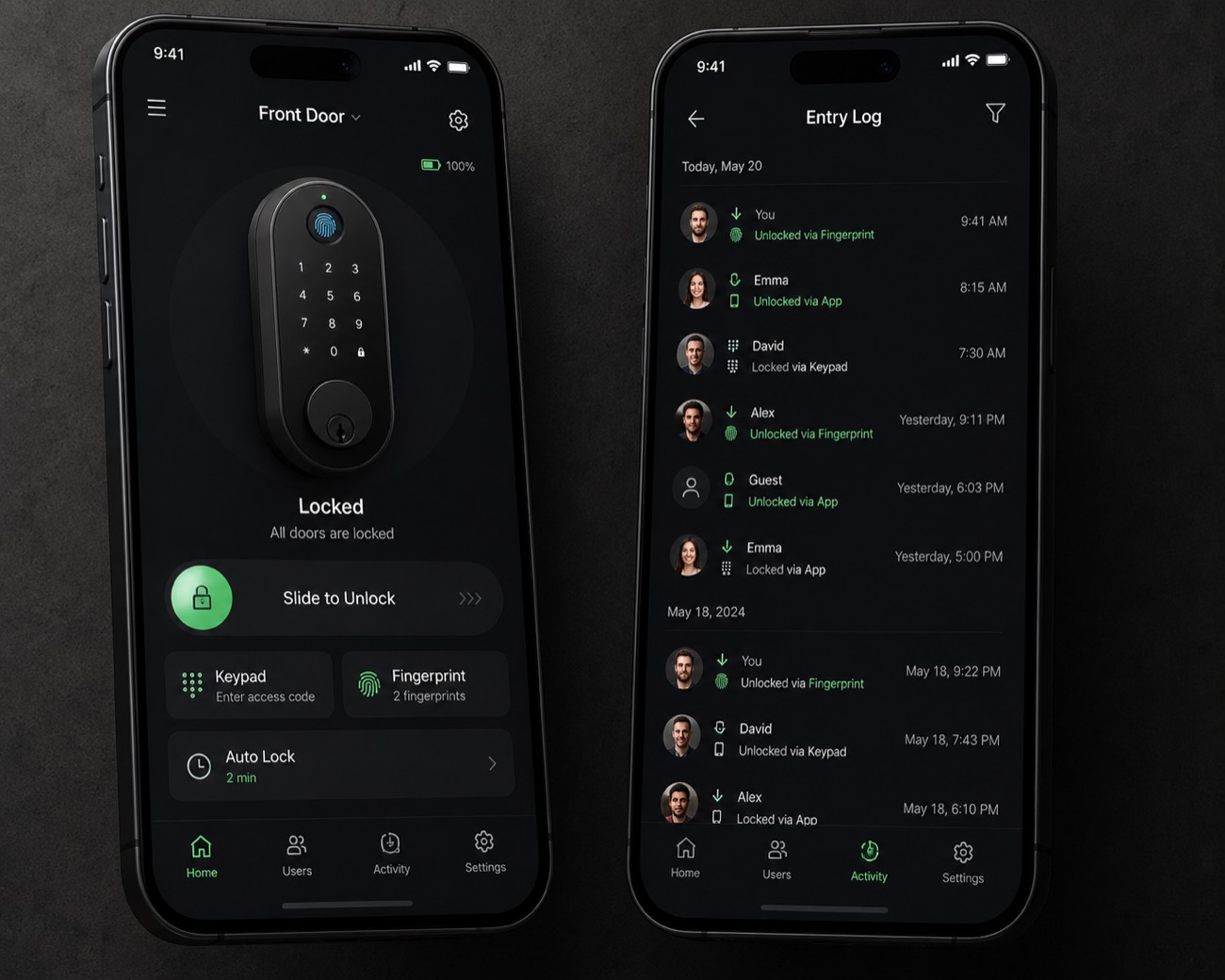
Connects over Bluetooth at the door and, with the optional Wi-Fi hub, over the internet from anywhere. App remote control and app access let you lock or unlock the door remotely, see a time-stamped log of every entry, get a push notification each time the door opens, and add or delete codes without touching the lock.
04
Keyless entry + auto-lock hands-free
Turn on auto-lock and the deadbolt re-engages on its own after a delay you set — 10 seconds, 30, a minute. No more lying in bed wondering whether you locked up. It's the single most popular setting among owners.
05
Backup physical key offline
Technology should never trap you outside your own home. A concealed keyway accepts a traditional physical key as the ultimate fallback — the safety net that makes going keyless feel safe in the first place.
How it works
How the fingerprint sensor & recognition works.
1
Enroll up to 100 fingerprints in minutes
Press the same finger several times at slightly different angles so the lock captures a complete map of your print. Each scan takes a couple of seconds — enough capacity for a large family, a shared house, or a small office.
2
Touch the sensor — the lock reads you instantly
The sensor is always listening. The moment skin touches it, the lock wakes, matches the print against its stored templates, and drives the motor. The whole cycle is faster than turning a key.
3
Auto-lock engages when you walk away
Once you're inside, auto-lock takes over. After your chosen delay the smart deadbolt throws itself and the door is secure again — no button, no app, no thought required.
Why it wins
Why a smart lock beats traditional door locks.
Never get locked out
With four ways in before you ever touch the backup key, getting locked out essentially stops being possible. Your fingerprint is always with you. Your code is in your head. Your phone is in your pocket. Keyless entry for the whole household — including the people who could never be trusted with a key.
Total control, from anywhere
Grant a contractor a code for the duration of a renovation and let it expire. Pull access the moment a rental guest checks out. With app control you're not guarding a door — you're administering it.
Peace of mind
The lock logs every event and can push a notification each time the door opens, by whom and when. For parents that means knowing the kids are home; living alone, it means an alert if the door opens when it shouldn't.
Effortless security with auto-lock
The most common way homes get burgled isn't a picked lock — it's an unlocked door. Auto-lock closes that gap permanently. The door secures itself whether or not you remember, whether or not your hands are full.
02
Security
Bank-grade biometric security technology you can trust.
0.5s capacitive fingerprint sensor
A semiconductor capacitive fingerprint sensor with a false-acceptance rate low enough that the odds of a stranger's finger opening your door are vanishingly small. It reads the live electrical pattern of a real fingertip, so a photo or flat copy won't fool this biometric door lock.
Encrypted, stored locally
Your fingerprint is never stored as an image and never leaves the lock. Enrollment converts your print into an encrypted template that lives only on the secure chip. There's no fingerprint database in the cloud to breach — because it was never uploaded.
Anti-peep & tamper alarm
Pad your real PIN with random digits so a shoulder-surfer can't learn it. Too many wrong codes freezes the keypad for minutes. A tamper alarm sounds if someone tries to pry the lock off the door — layered security features that take your home security seriously.
IP65 weatherproof
Rated against dust and water jets from any direction, and tested across a wide temperature range — so the reader keeps working through summer heat and winter cold on an exposed front door.
“A lock you can't trust in the rain isn't a lock — it's a fair-weather gadget. Weatherproofing is the line between a real entry door lock and a toy.”
— common refrain among smart-home installers
Connected
Works with your smart home — Alexa & Google.
Pair the lock with Amazon Alexa or Google Assistant and check the door's status or lock it by voice — “Alexa, is the front door locked?” Unlocking by voice requires a spoken PIN, so a casual command from outside can't open your house. Drop it into a “Goodnight” routine to lock up, dim the lights and arm your other devices in one phrase.
The optional smart hub bridges the lock's Bluetooth to your Wi-Fi (WiFi) for true remote access. Without it, everything still works locally over Bluetooth — the hub simply extends the range from “at the door” to “anywhere in the world.” It plays nicely with the rest of your smart devices, which is why it ranks among the best smart locks for front door use.
Amazon Alexa
Google Assistant
Bluetooth
Wi-Fi hub
Routines
Design
A fingerprint smart lock designed to match your door.
This smart fingerprint door lock is a recognition-door upgrade that looks like it belongs — security shouldn't mean an ugly box bolted to your door.
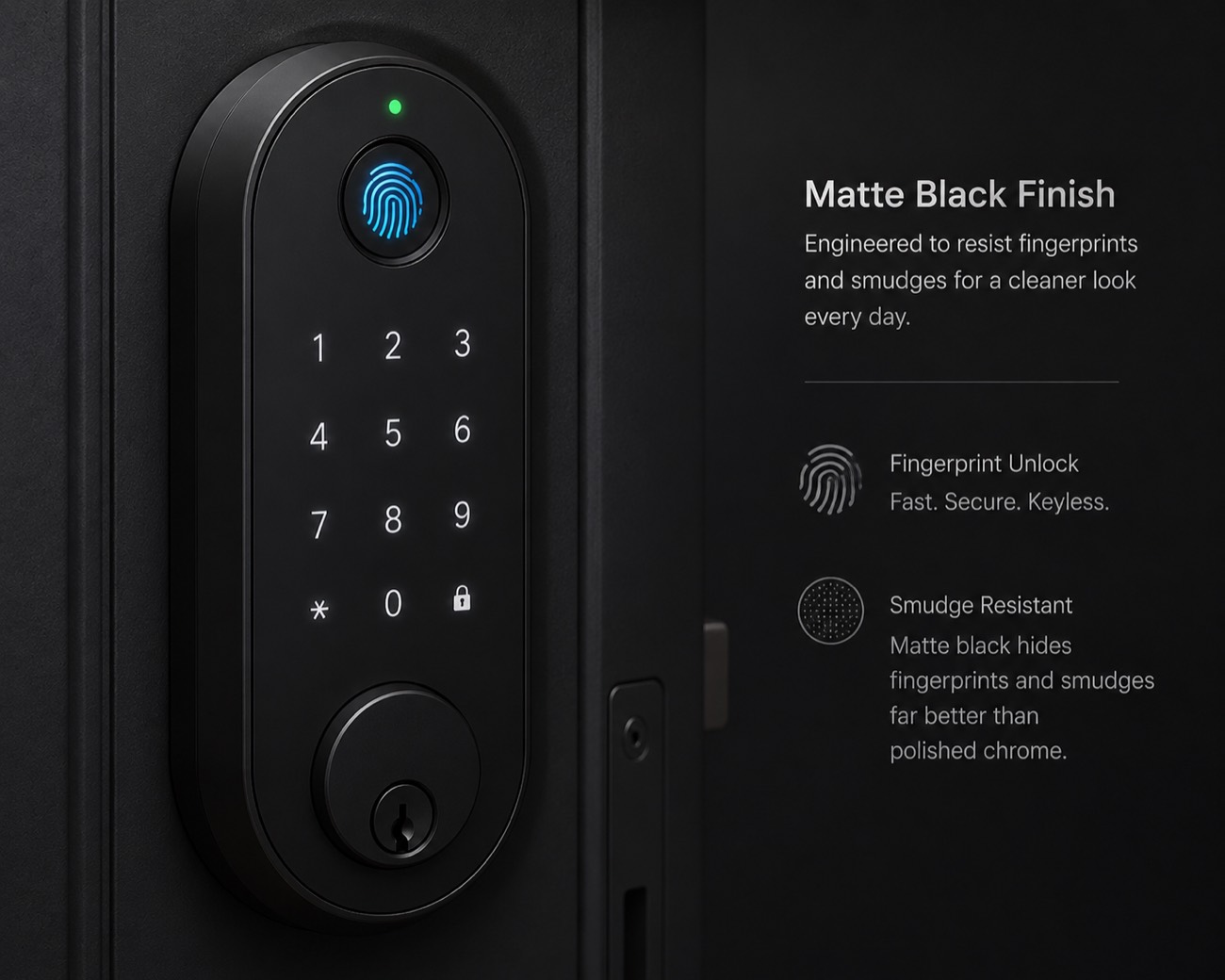
Matte black hides fingerprints & smudges far better than polished chrome.
A
Smart deadbolt
Replaces a standard single-cylinder deadbolt — the most common front-door choice.
B
Entry door lock with handle
A full handle set — a door handle with the fingerprint reader built into the lever for a one-piece look.
C
Fingerprint door knob
A knob-style biometric door knob for interior and lighter-duty doors — perfect as a bedroom door lock.
fit Fits standard doors — door thicknesses from 35mm to 55mm, spacers & screws included.
Installation
Install your smart door lock in 20 minutes.
This door lock is easy to install: if you've ever changed a deadbolt, it's the same job. The simple installation needs a Phillips screwdriver and about twenty minutes — no drilling, no wiring, no electrician. Easy installation drops into the universal 2-1/8" bore your door already has, and the app keeps the door lock easy to use day to day. It's the rare door lock easy to install in one sitting.
Remove the old deadbolt — two interior bolts.
Slide in the new latch; set your backset.
Mount the matte black exterior keypad.
Attach the interior body & battery pack.
Set the bolt direction in the app.
Enroll your first fingerprint & test.
See it in motion
One touch. The bolt turns.
0.5s · touch to open
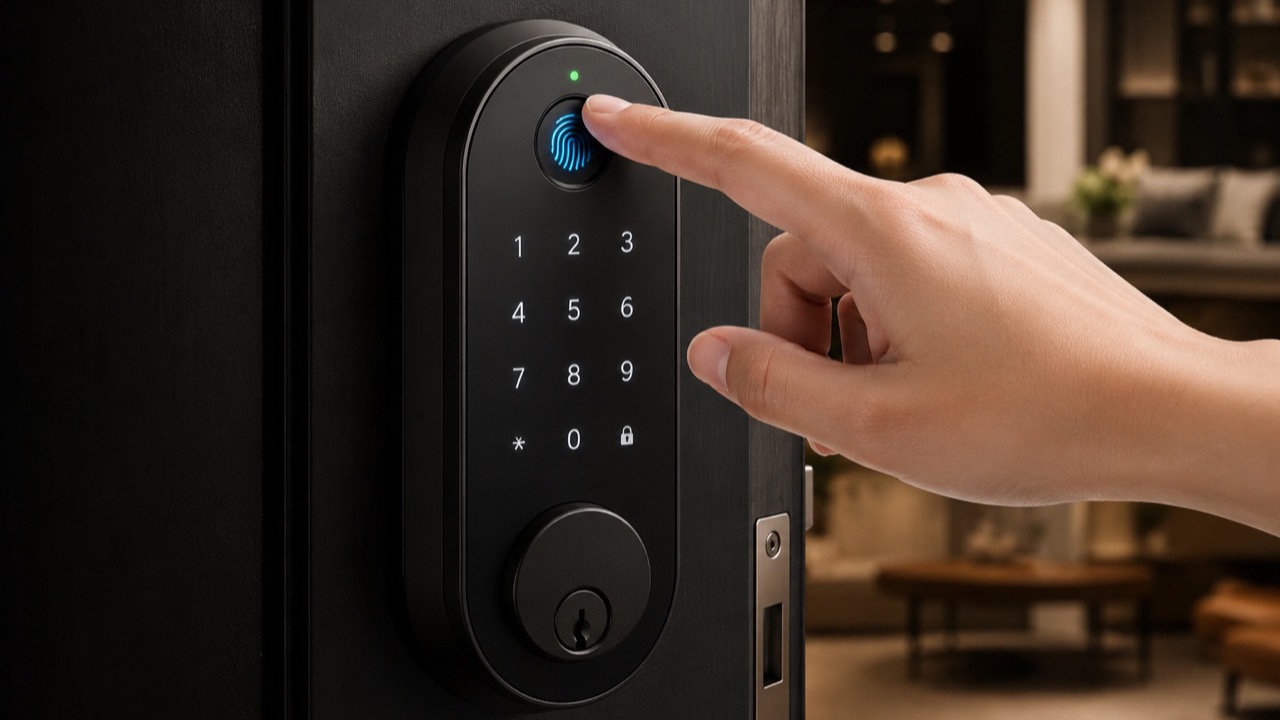
Biometric fingerprint recognition unlocks the deadbolt in about half a second.
Compare
Why this is the best fingerprint door lock for your home.
vs. a traditional lock or keypad-only lock
Capability
Traditional key
Keypad-only
Fingerprint lock
Speed of entry
Slow
Medium
Fast — 0.5s
Can be lost
Yes
Codes leak
No
Hands-free for kids
No
Partial
Yes
Remote access
No
Some
Yes
Entry log
No
Some
Yes
Backup if power dies
—
Battery + key
Finger, code, app, key
vs. eufy & Yale Assure Lock 2
Spec
This lock
eufy
Yale Assure 2
Access methods
4-in-1
Finger, code, app
Code, app
Fingerprint reader
Yes, capacitive
Yes
No
Stored fingerprints
Up to 100
~100
—
Backup physical key
Yes
Some models
Optional
Power
Rechargeable + USB-C
Rechargeable
AA batteries
Voice assistants
Alexa & Google
Alexa & Google
Alexa, Google, Siri
The honest takeaway: eufy and Yale make excellent locks, and budget options like the veise fingerprint door lock or the ghome smart fingerprint door lock cover the basics. Where this one tends to win is the combination of a true fingerprint reader, a physical-key fallback many rivals dropped, USB-C emergency power, and Alexa plus Google Assistant — usually at a lower price than the Assure Lock 2 or a comparable ghome smart model.
Power
Months of power, zero worry.
The fear that stops people buying a smart lock: “what happens when the battery dies?” Here's exactly how it's handled.
8mo
Battery life
Roughly 8 months — about 8,000–10,000 unlock cycles — on the rechargeable battery. Low-battery warnings hit the keypad and app at 20% and 5%.
USB-C
Emergency power
If it dies anyway, a USB-C port on the underside takes a quick jolt from any power bank or phone charger — enough to unlock and get inside.
0wifi
Works offline
Fingerprint unlock, keypad codes, auto-lock and the physical key all work with zero internet. Wi-Fi only adds the remote features.
Technical
Specifications at a glance.
Lock type
Smart deadbolt (also handle set & fingerprint door knob)
Access methods
4-in-1: fingerprint, code or fingerprint via keypad, app, physical key
Fingerprint capacity
Up to 100 unique fingerprints
Recognition speed
~0.5 seconds
Keypad
Backlit digital keypad deadbolt with anti-peep codes
Tamper alarm, keypad lockout, encrypted local biometric storage
Warranty
18 months + lifetime support
03
Reviews
What 50,000+ customers say about keyless living.
“Installed it in a Saturday morning before coffee was cold. The auto-lock alone is worth it — I'll never lie awake wondering if I locked up again.”
Verified homeowner
“I host two short-term rentals. I send each guest a keypad code that expires at checkout. No more key handoffs, no more lockbox codes the whole street knows.”
Airbnb host
“My kids get home before me. They just touch the door. No keys to lose, and I get a notification the second they're inside.”
Parent of two
Across thousands of reviews, the highest-praised single feature is the speed and consistency of the fingerprint recognition — the one thing that, if it failed, would sink the product. It doesn't.
Everywhere
A smart lock for every door in your life.
Front door
A smart deadbolt or handle set on the main entry, with every family member enrolled and auto-lock on. The front-door smart lock that finally makes the whole household keyless.
Rental & Airbnb
Issue and revoke keypad codes remotely. Set them to expire, revoke if plans change, and review a logged entry history — no key exchange, ever.
Home office & garage
Biometric access that's quick for you and closed to everyone else. Pair with the keypad for the occasional delivery and you have controlled access without cutting a key.
01
18-month warranty
Covers the motor, sensor and electronics, plus lifetime customer support for setup and questions.
02
30-day money-back
Live with it for a month; if it isn't right for your door, return it for a full refund.
03
Free shipping & returns
Orders ship free, returns are prepaid and straightforward. No restocking traps, no fine print.
FAQ
Fingerprint door lock — questions, answered.
Is a biometric door lock safe from hacking?
Yes, for two reasons. Your fingerprint is stored only as an encrypted template on the lock's secure chip — never an image, never uploaded to the cloud, so there's no online database to steal. And the lock itself adds a tamper alarm, keypad lockout after repeated wrong codes, and anti-peep code entry. Auto-lock also eliminates the most likely attack on any home: an unlocked door.
What happens to the smart lock if the battery dies?
You're never locked out. The lock warns you well in advance via keypad and app alerts. If it dies anyway, a USB-C port gives instant emergency power from any phone charger or power bank, and a concealed physical key is the final fallback. The rechargeable battery lasts about 8 months between charges.
Can the fingerprint sensor read wet or cold fingers?
In most cases, yes — the capacitive reader handles damp, cold and lightly dirty fingers far better than older optical sensors. For the rare day a finger won't read, you simply use the keypad code, the app, or the physical key. Four ways in means a finicky fingerprint is never a problem.
How many fingerprints and keypad codes can I add?
Up to 100 unique fingerprints and a large set of keypad codes — permanent, recurring and one-time temporary. That covers large families, shared households, small offices and rental turnover with room to spare.
Does the fingerprint smart lock work without the app?
Completely. Fingerprint unlock, keypad access, auto-lock and the physical key all work with no app, no Wi-Fi and no account. The smartphone app and Wi-Fi hub are optional layers that add remote access, entry logs and notifications.
Will this door lock fit my door?
It fits standard doors prepped for a deadbolt (the universal 2-1/8" bore) and handles door thicknesses from 35mm to 55mm with included spacers. If your door already has a deadbolt, it will almost certainly fit — just measure the thickness before ordering.